
Sales Quotation
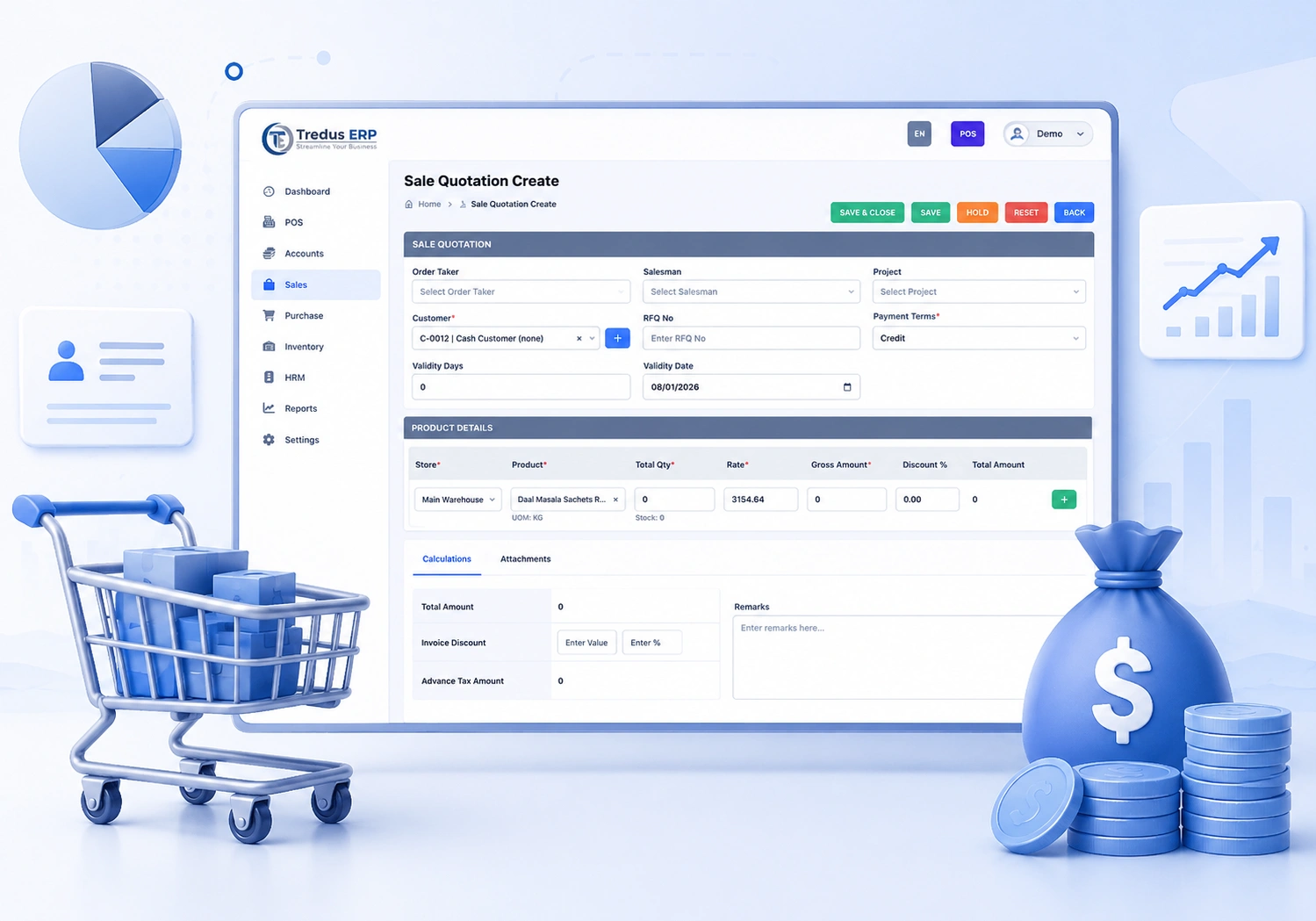
The quotation feature in the Tredus ERP Sales Module enables businesses to create structured and professional sales proposals efficiently. Users can select customers, add multiple products, and define pricing, discounts, taxes, and payment terms. The system automatically calculates totals and manages quotation statuses such as draft, sent, approved, or rejected. It also maintains a complete revision history to track changes over time. Approved quotations can be directly converted into sales orders or invoices, ensuring a smooth and error-free workflow. This feature improves sales control, enhances transparency, and helps increase overall conversion rates.
Sales Order
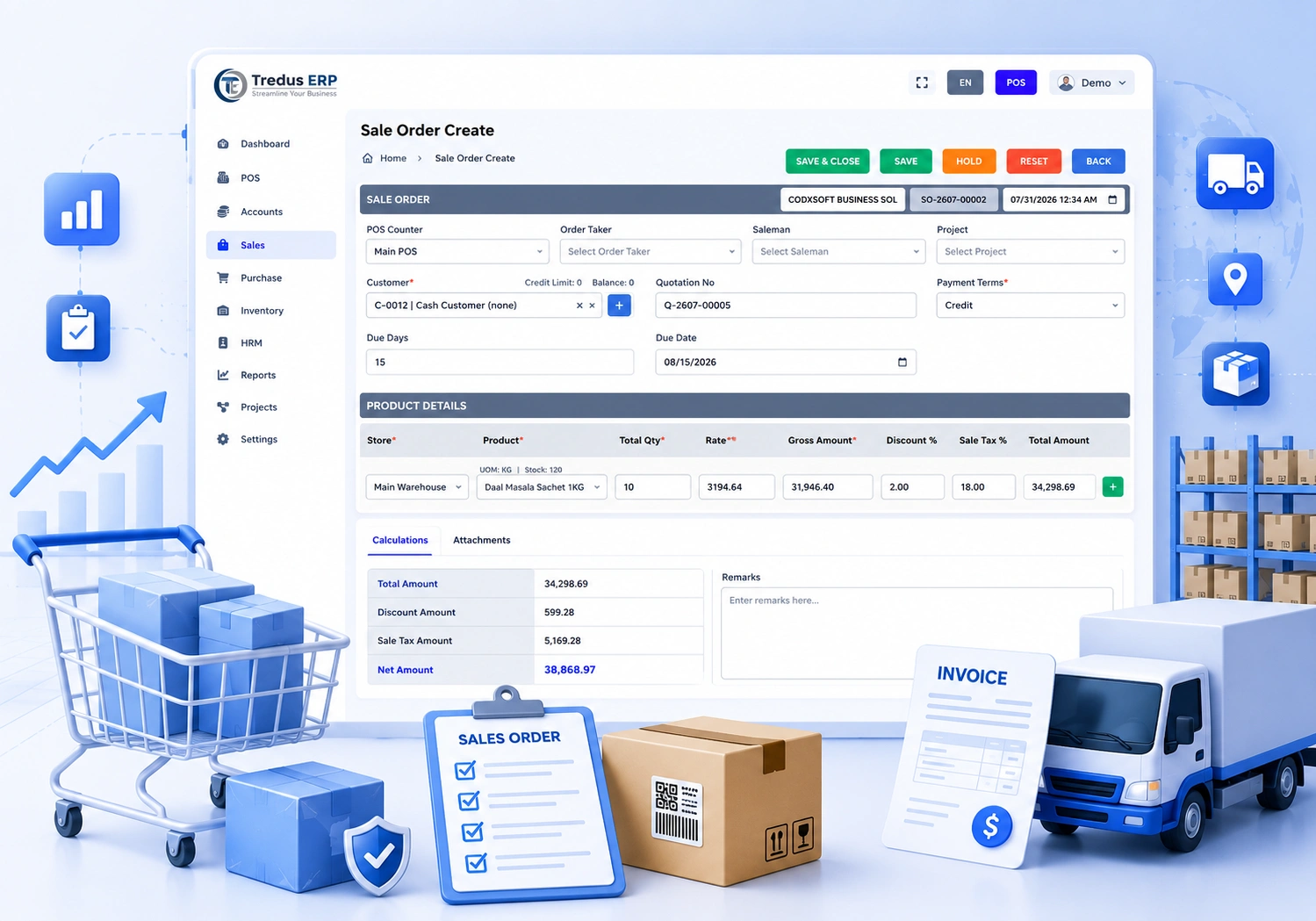
The Sales Order feature in the Tredus ERP Sales Module streamlines the order management process by converting approved quotations into confirmed sales transactions. Users can create sales orders by selecting customers, adding products, and applying pricing, discounts, taxes, and delivery terms. The system ensures stock validation and can reserve inventory against the order to prevent overselling. Sales orders can be tracked through different statuses such as pending, confirmed, dispatched, or completed. It also supports partial deliveries and backorders where required. Once finalized, sales orders can be easily converted into invoices, ensuring accurate and efficient order fulfillment with better control and visibility.
- Product Sales Report
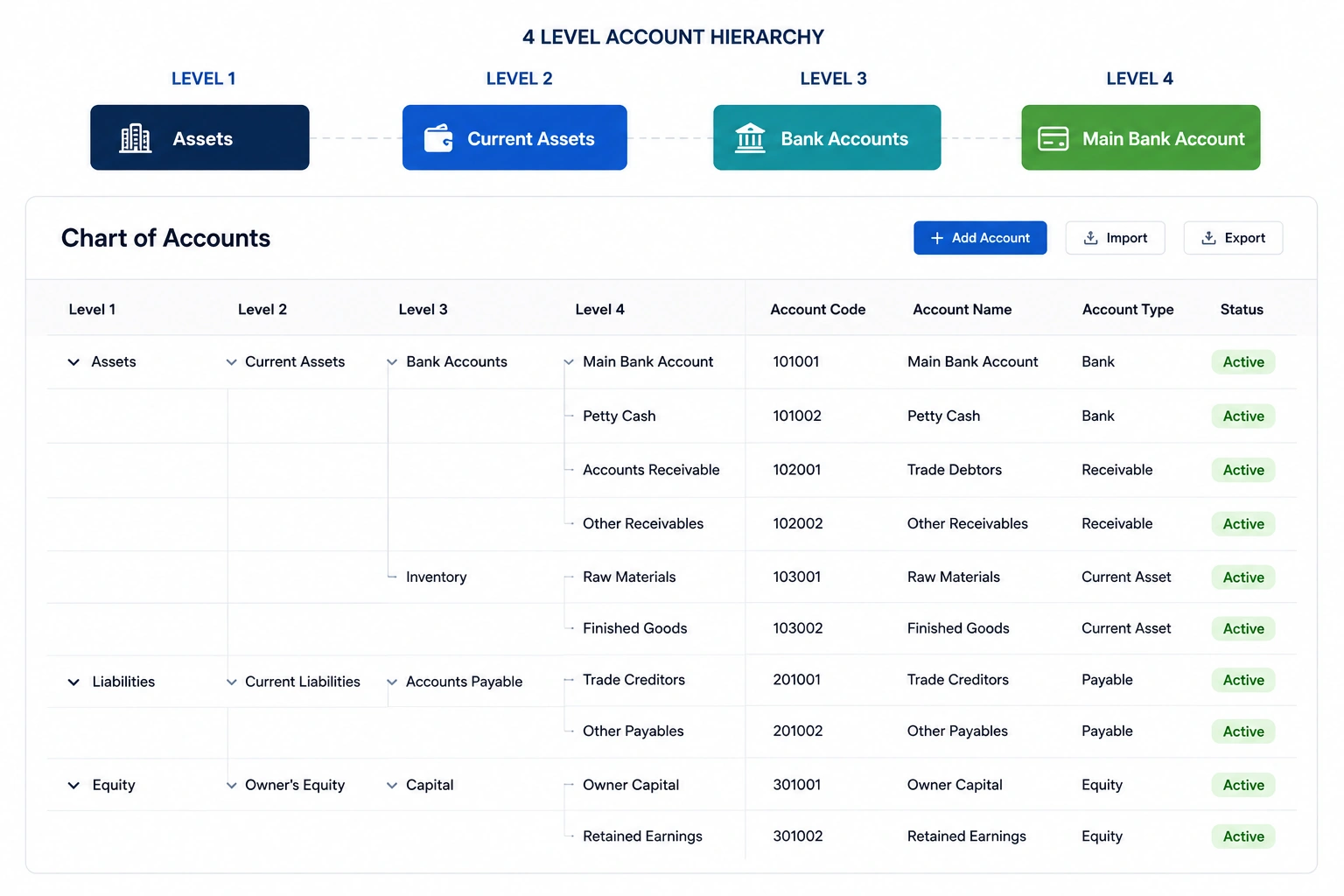
Flexible Chart of Accounts
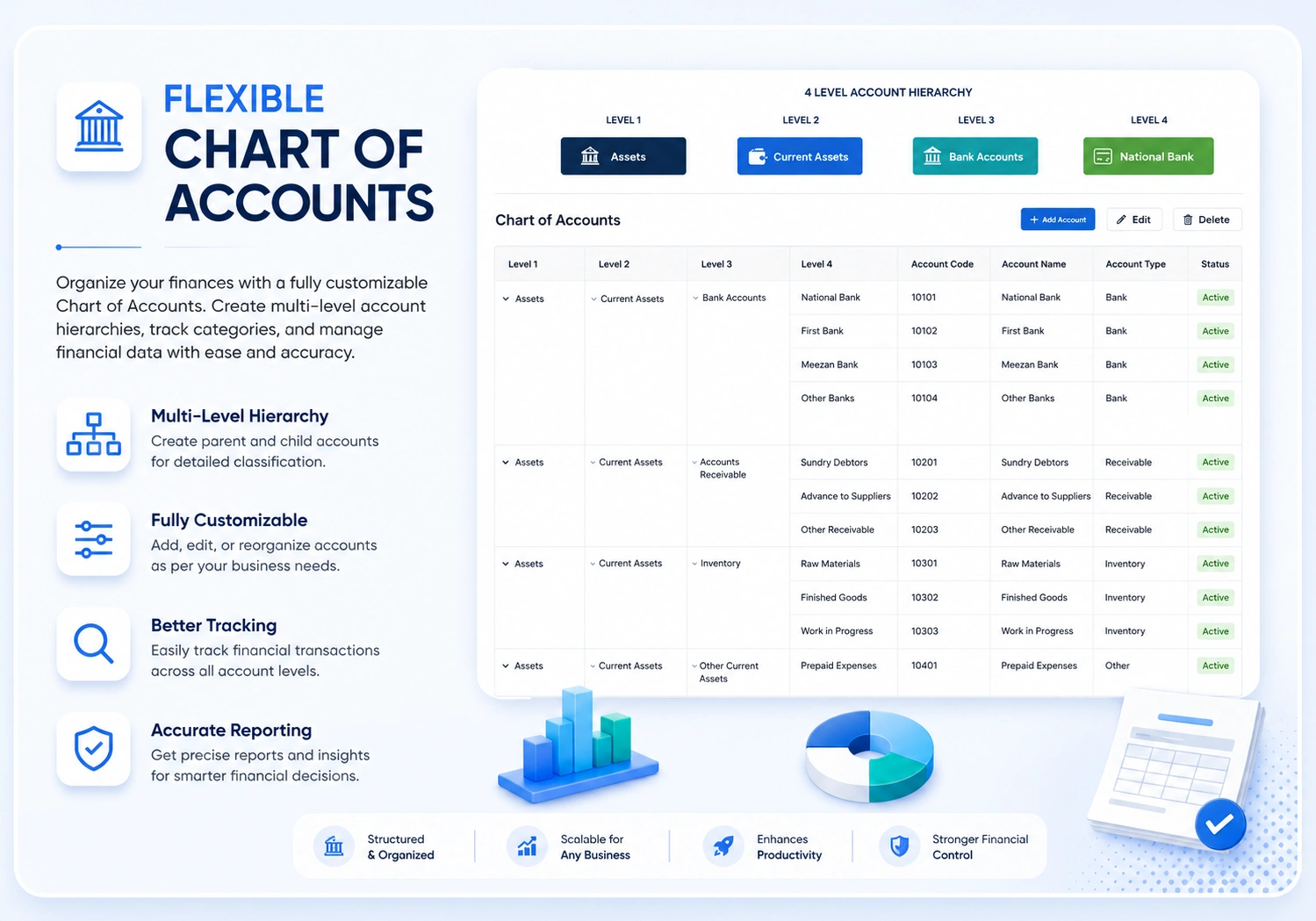
The Flexible Chart of Accounts feature in Tredus ERP allows businesses to design a customized financial structure with up to four hierarchical levels, aligned with their operational and reporting needs. This flexibility enables precise classification of accounts and supports industry-specific accounting practices. Users can efficiently manage Profit & Loss (P&L) statements and Balance Sheet notes according to their defined business structure. The system ensures accurate financial reporting, better transparency, and clear mapping of accounts to financial statements. It enhances control over financial data and supports scalability, allowing the chart of accounts to evolve as the business grows.
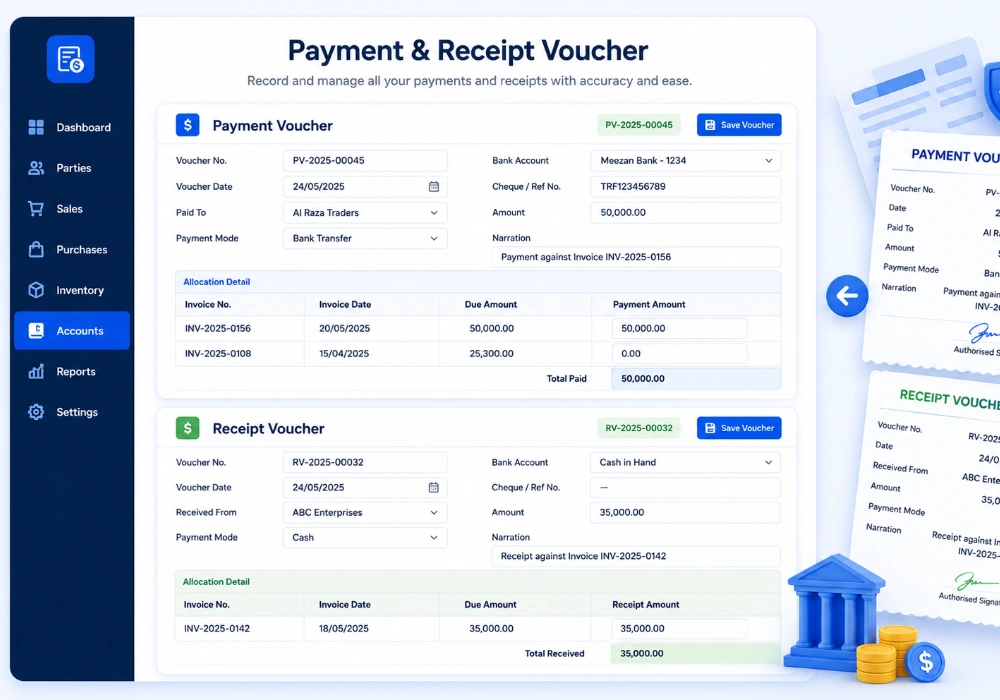

Payment & Receipt Voucher Management
Tredus ERP provides a complete voucher management system that allows businesses to record, track, and reconcile all customer receipts, supplier payments, and direct financial transactions with complete accounting integration.
- Receipt Voucher Against Invoice
- Receive customer payments directly against one or multiple sales invoices.
- Receive full or partial payment against invoices.
- Automatically update invoice outstanding balance.
- Support multiple payment methods.
- Cash ,Bankc, Cheque , Online Transfer ,Credit Card, Mobile Wallet
- Allocate one payment across multiple invoices.
- Handle advance customer payments.
- Automatically create accounting journal entries.
- Track customer payment history.
- View pending and paid invoices.
- Print receipt vouchers.
- Email receipt to customer.
- Multi-currency support.
- Branch-wise receipt management.
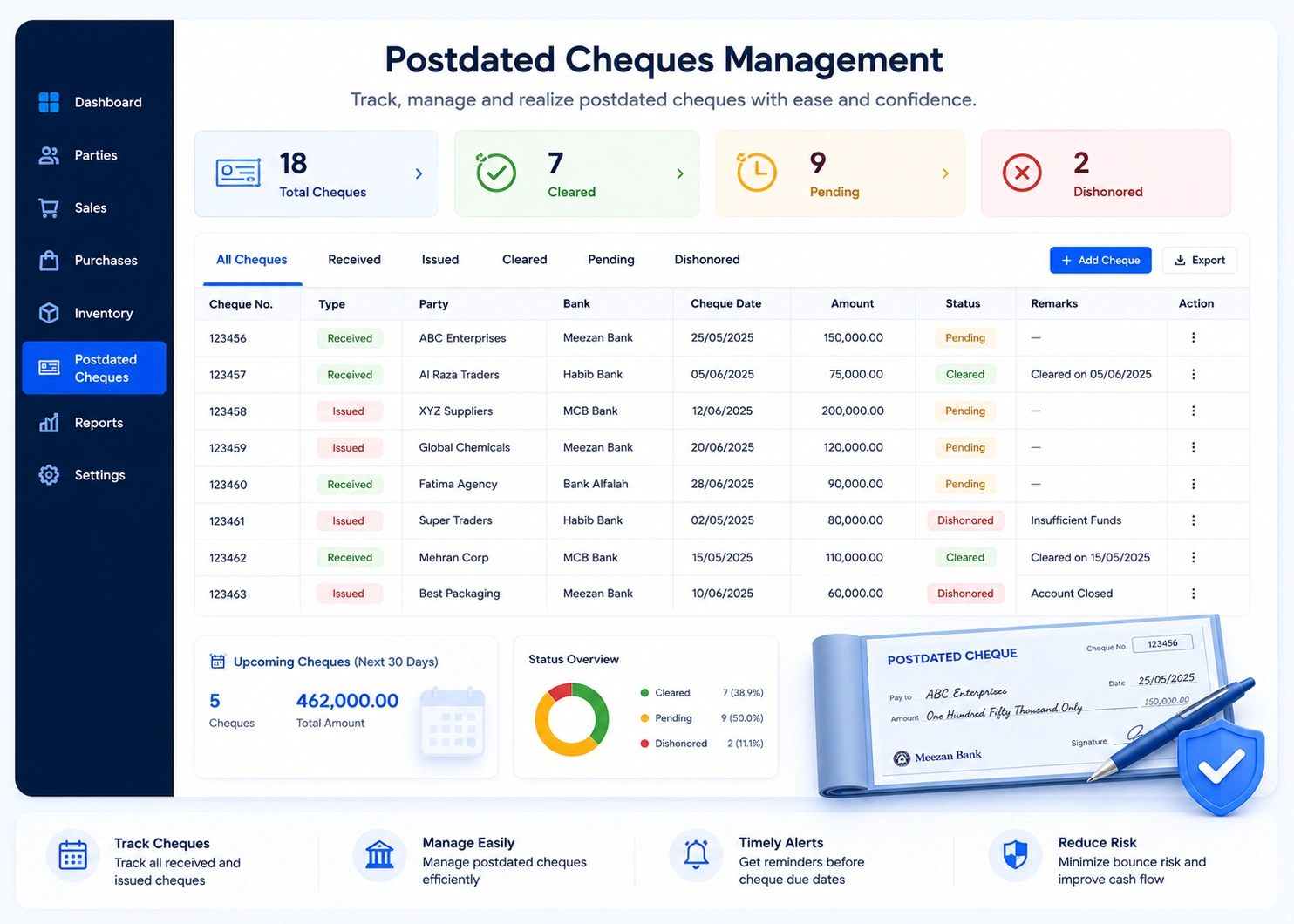
Postdated Cheques Management
A streamlined Post-Dated Cheque (PDC) management interface tracks issued and received cheques with key details like cheque number, bank, dates, amounts, and status (pending, cleared, bounced).
The system enables scheduling, reminders, and reconciliation while linking cheques to invoices or payments, ensuring accurate cash flow visibility and control.
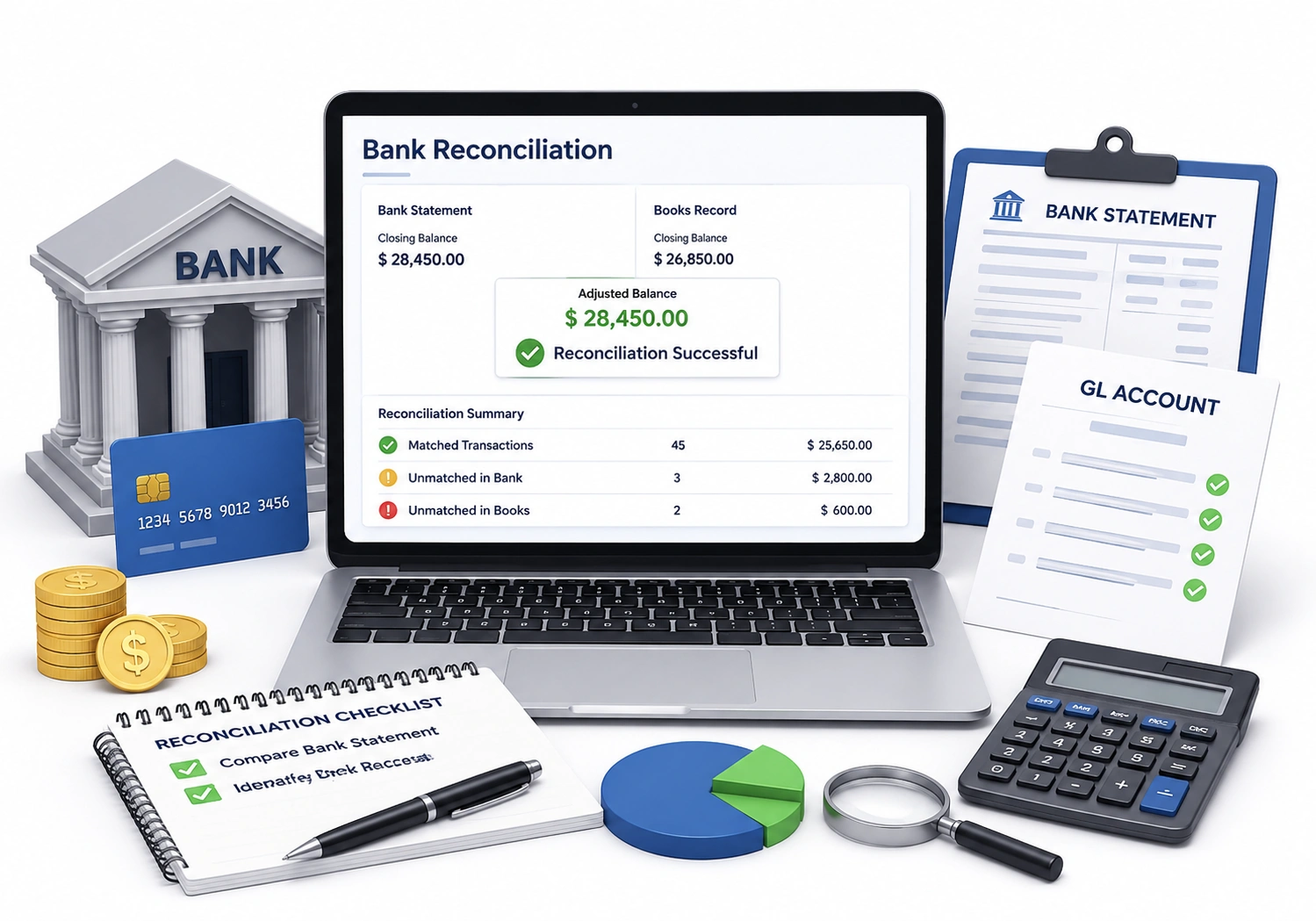
Bank Reconciliation
Bank Reconciliation allows you to match your system transactions with bank statements to ensure accuracy and identify discrepancies.
It helps track unmatched entries, automate reconciliation, and maintain reliable financial records with clear audit trails.